Work/2026
MXM Studio: Mixed Media & Cyanotype Animation Pipeline
A real artist’s analog animation workflow, rebuilt as a browser app: scans straighten, identify and crop themselves, and nothing is ever uploaded.
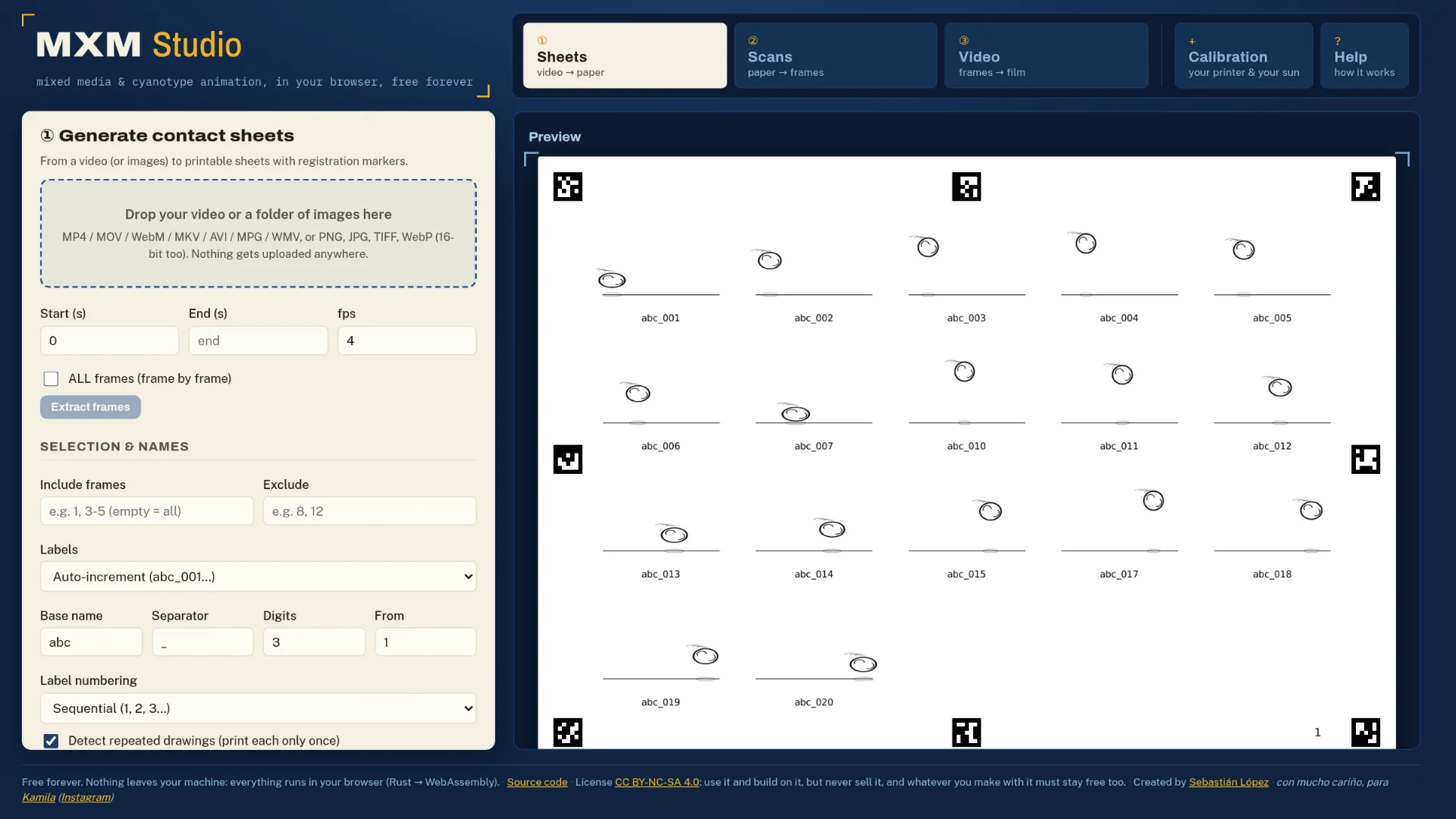
MXM Studio turns a video into printable contact sheets, waits while the artist
paints on the paper or exposes cyanotypes from acetate negatives, then takes
the scans back and straightens, identifies and crops every frame on its own
before rebuilding the film. It began as a cross-platform Python desktop app and
is now a browser app: the image processing is Rust compiled to WebAssembly, the
perspective warp runs on the GPU through a WebGPU compute shader, and there is
no server, no account and no upload. The old desktop app is still in the repo,
and the layout.json files it produced still process unchanged.
Highlights
- A sheet knows which sheet it is. Registration used to depend on a QR code per frame eating cell space. Now each sheet’s identity is encoded in the ArUco IDs themselves: every sheet gets its own set drawn from DICT_5X5_100, which tells 144 sheets apart at 8 markers per sheet, and one surviving marker often names the sheet. The candidate sheet is voted on right after the first detection pass, and everything downstream is restricted to its IDs, which removed a whole class of failure where the detector chased markers belonging to other sheets and then discarded the real ones as outliers. QRs remain a checkbox for projects longer than marker identity can address, and old projects that carry them still work.
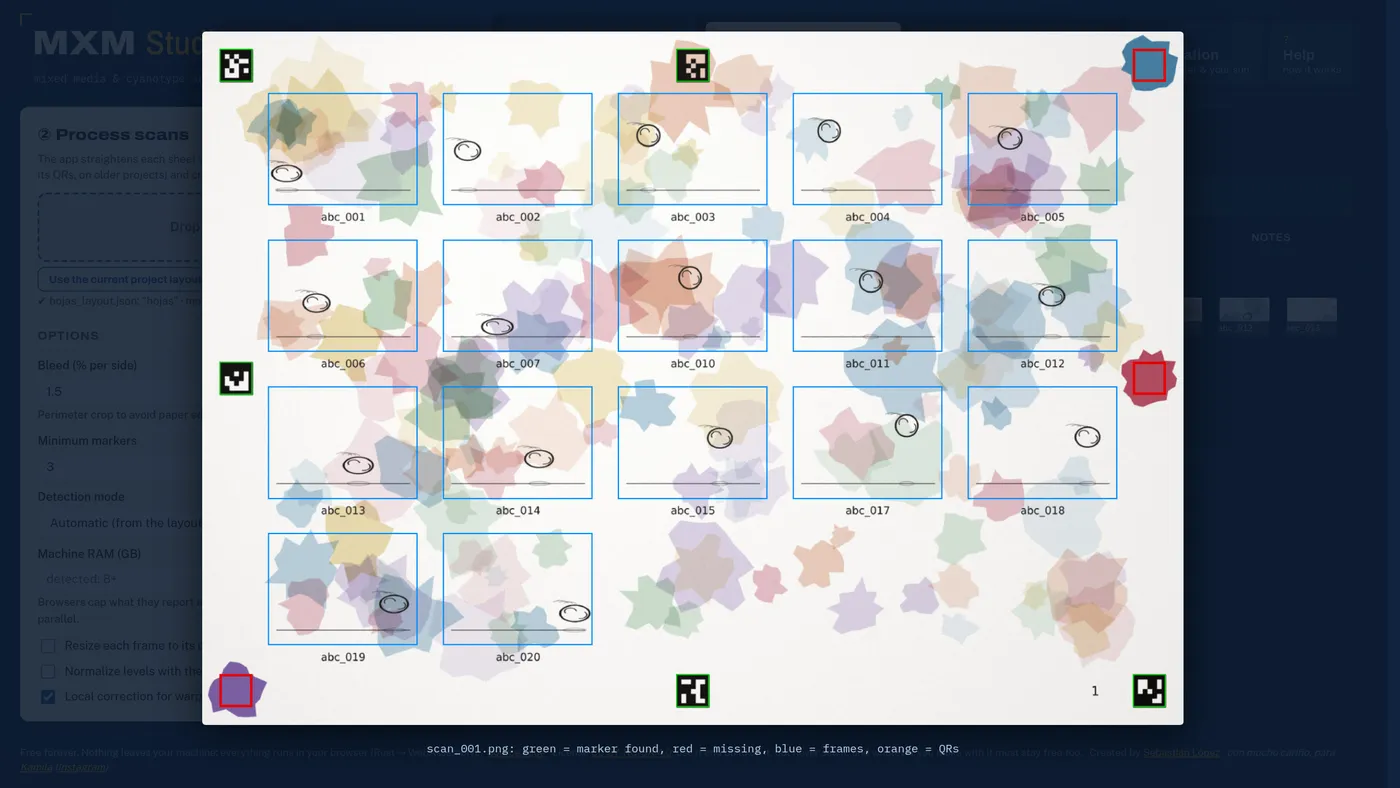
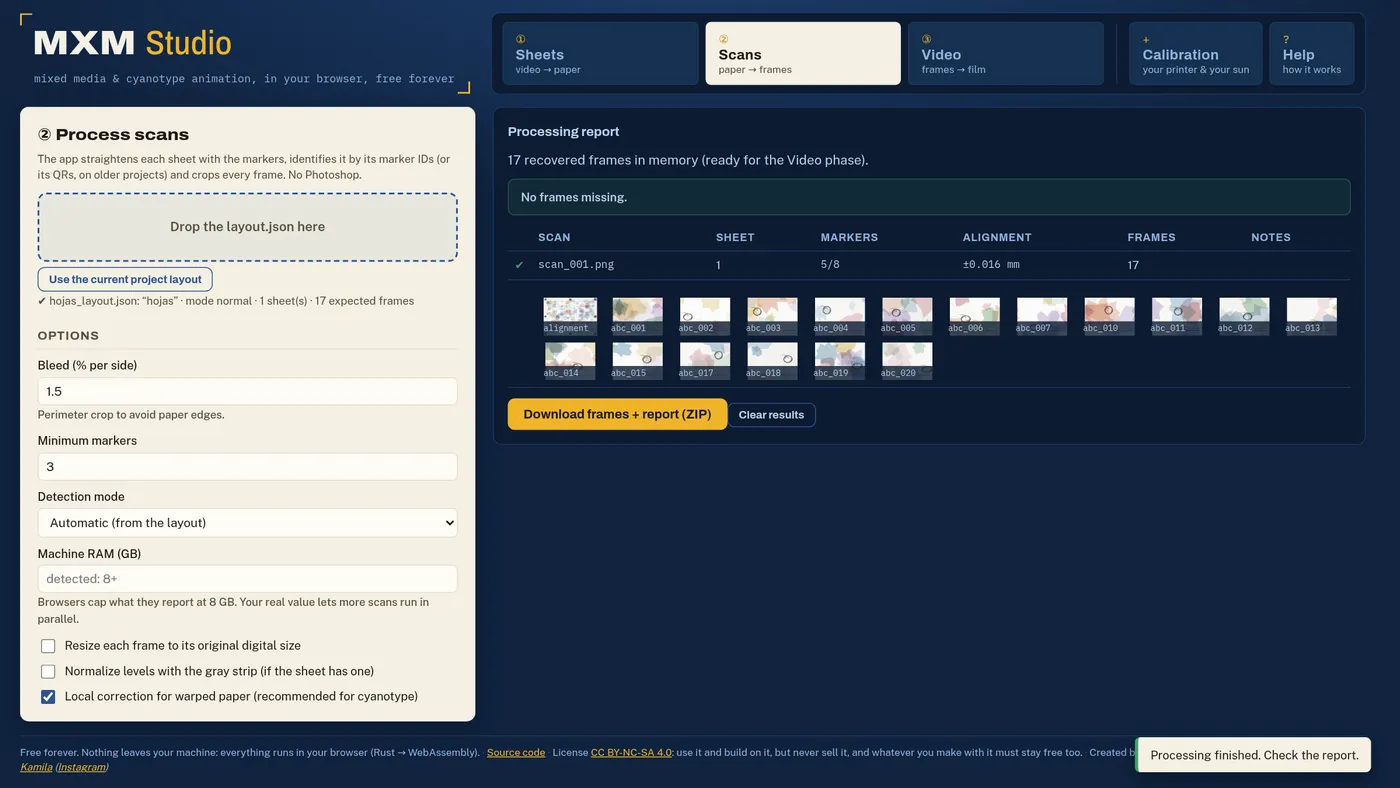
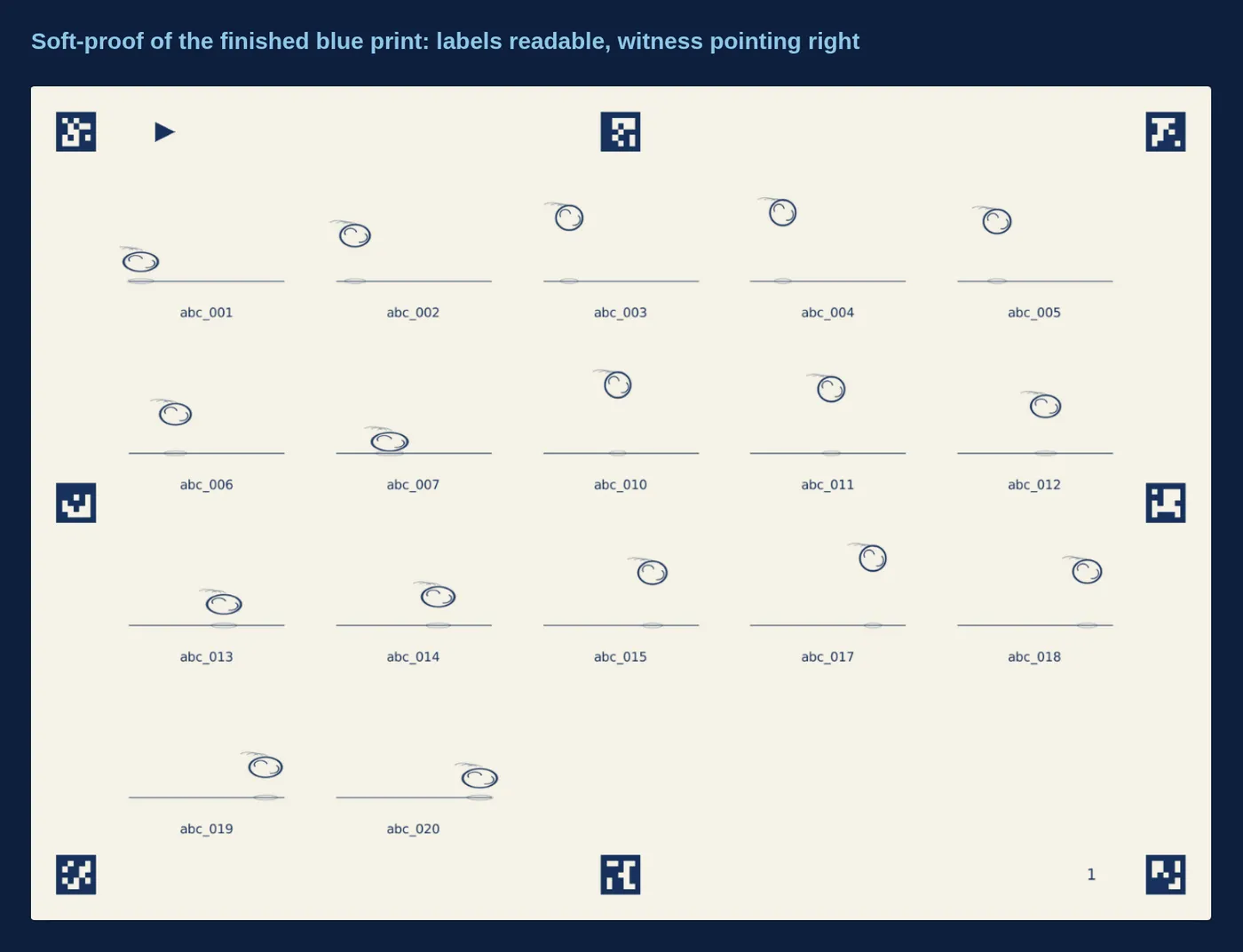
- Self-correcting registration, measured on a scan that fought back. The run in the gallery is reproducible: twenty drawings in, three of the eight markers deliberately painted over, the sheet rotated 2.7°, rescaled to 86% of its printed size, grained and unevenly lit. It came back with 5 of 8 markers, a ±0.016 mm median reprojection residual and all 17 printed frames recovered. Getting there is a ladder rather than a happy path: detection on a proxy under 2400 px, several preprocessing variants tried in order of likelihood (gray, red channel because Prussian blue is nearly black there, CLAHE, background flattening, normalization) and each of them also inverted; mirror detection through ArUco chirality, since an acetate exposed backwards arrives flipped; sub-pixel corner refinement at full resolution; guided re-search where a lost marker should have been; RANSAC homography with per-marker residuals over 2.5 mm or 3× the median thrown out and the fit recomputed.
- Scale is measured, never assumed. The true print scale comes from the median ratio of distances between marker centers, so any scanner resolution works without being told. Paper that cockled while wet is handled separately: the marker residual field is interpolated by inverse distance weighting and each crop is nudged to where the content actually ended up, engaged only when the median residual passes 0.15 mm.
- The GPU does the expensive part. Warping a full-resolution scan in WASM costs seconds and forces input and output to live in module memory at once. The same Catmull-Rom kernel is written as a WGSL compute shader, halving WASM memory, and any exception at all falls back to the all-WASM path, so the feature can never cost a user their scan.
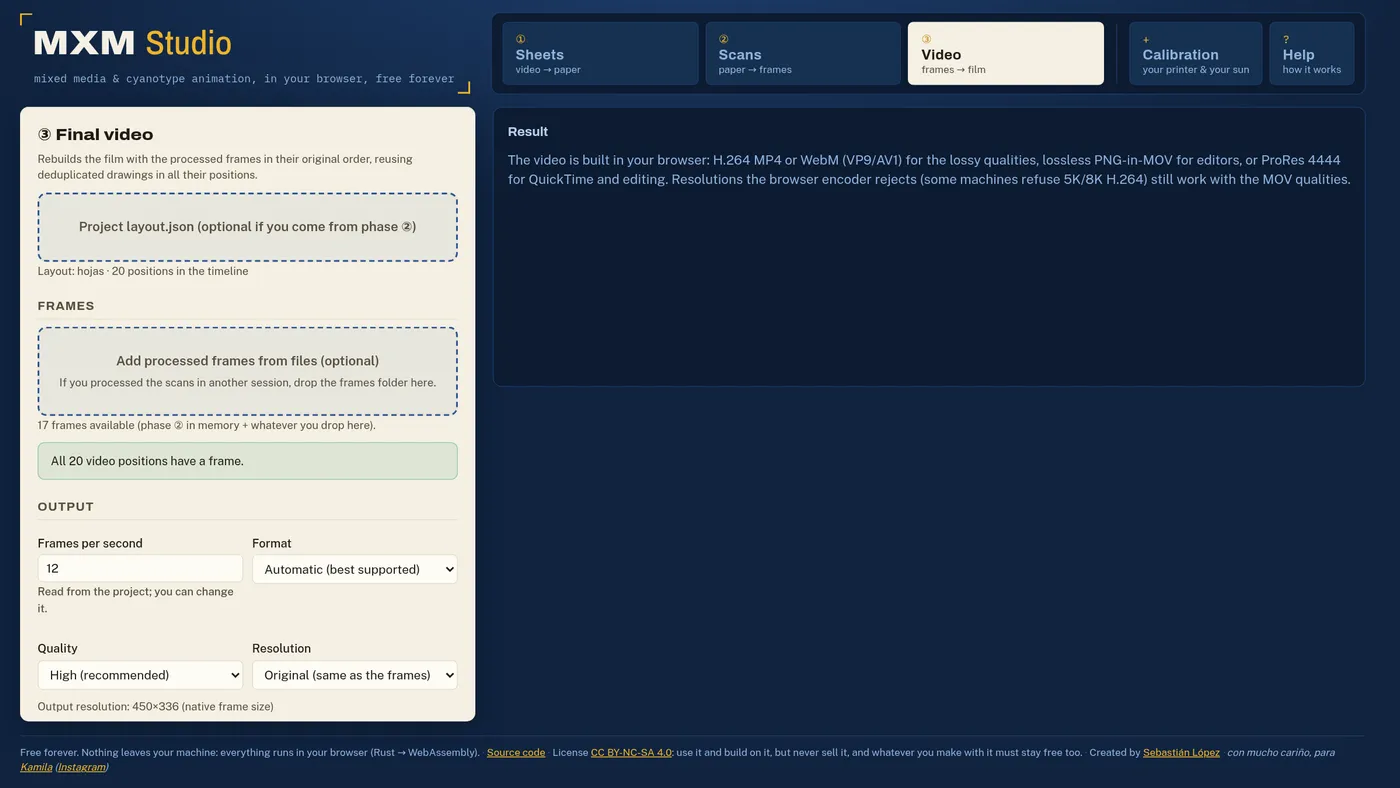
- Repeated drawings are printed once. Held frames are found with a 256-bit dHash and a Hamming distance of 4 or less. In the gallery run that turned 20 frames into 17 sheets of paint and 17 positions in the timeline still resolved to 20, because the layout records where each duplicate belonged.
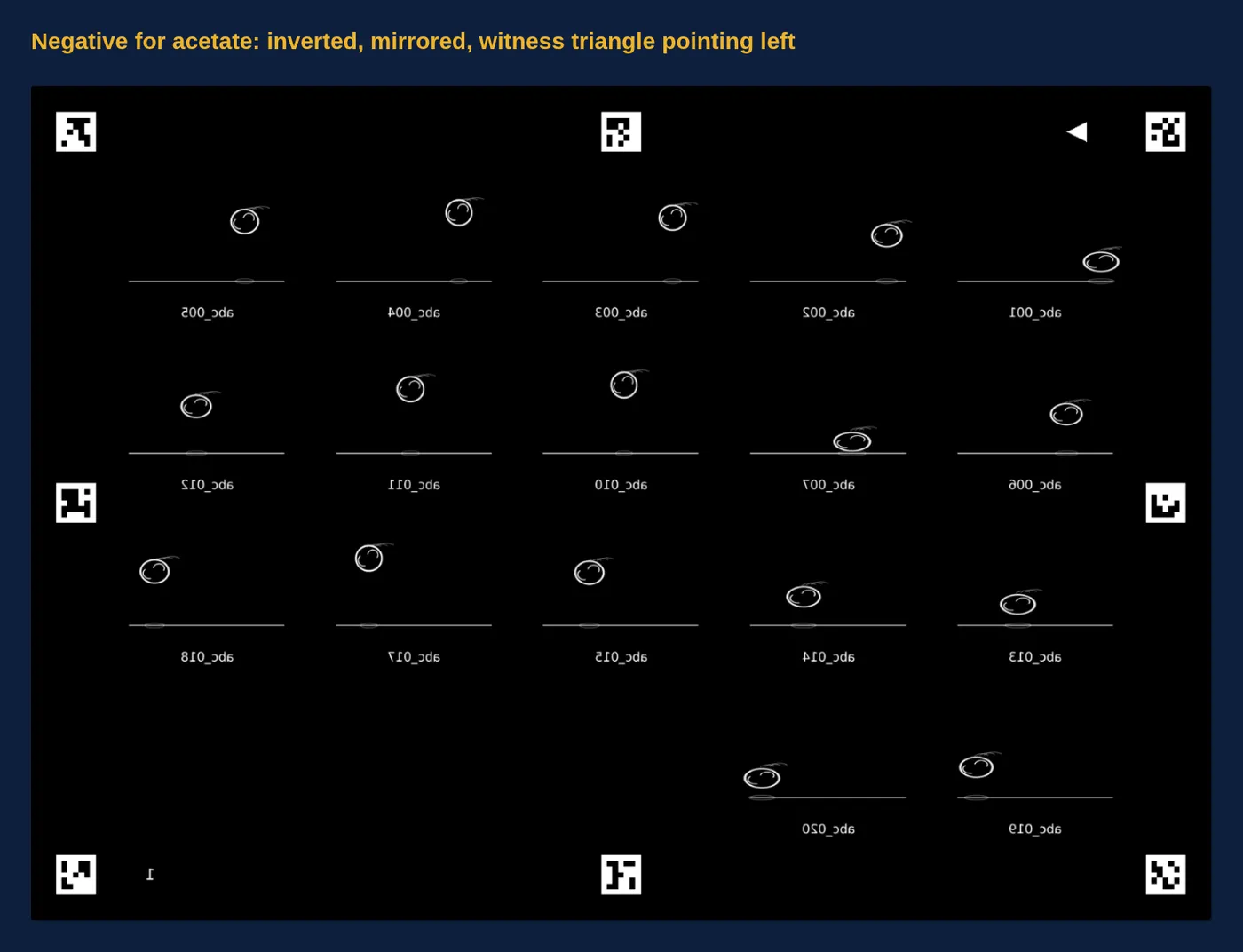
- Cyanotype as a calibrated process, not a filter. The app generates negatives for acetate with a compensation curve built from your own chemistry: print a chart, expose it, develop it, scan the blue print, and the curve is fitted through averaged duplicates, adaptive smoothing, PAVA isotonic regression, monotone PCHIP interpolation and numerical inversion, using Peter Mrhar’s Easy Digital Negatives method with either a 21-patch strip or a 256-tone chart. ColorBlocker measures which ink color blocks UV best on your printer across 36 hues, because black frequently is not the answer. If you scanned the acetate instead of the print, or the chart came out flat, it says so rather than saving a curve that would ruin the project.
- Lossless where it claims to be lossless. Frames are extracted as PNG with no color filtering and 16 bits per channel survive the whole scan path. For output, the browser’s encoders are always lossy, so the app also writes PNG frames stream-copied into a MOV with no re-encode at all, up to 8K. Because QuickTime stopped decoding PNG video, there is a ProRes 4444 path through ffmpeg.wasm for a master that plays and edits, and the interface says plainly which of the two you are getting.
- Camera files that WebCodecs refuses. The decision to fall back is made by
asking
track.canDecode()rather than by matching file extensions, so a MOV whose container parses but whose codec the browser cannot decode (Lumix HEVC Main 10, ProRes, DNxHD) routes through ffmpeg.wasm, as do AVI, MPG, WMV and FLV. The input is mounted through WORKERFS instead of being copied into WASM memory, which is what makes a multi-gigabyte camera clip survive, and PNG output is batched by resolution so 4K and 6K stay inside the memory budget. - It adapts to the machine it lands on. Scan concurrency is chosen from core
count, reported memory and whether a GPU is available, and shown in a status
line; browsers cap
deviceMemoryat 8 GB, so there is an override for people who actually know what their machine has. Large files still process alone. - Tested and shipped by CI. 43 Rust tests cover the core, including
end-to-end roundtrips that compose a sheet, simulate a scan of it and check
the frames come back, plus mirrored scans, marker-only identity, a full
cyanotype cycle and 16-bit depth preservation. A second job compiles the core
to WebAssembly and runs a real headless-Chrome end-to-end test over workers
and WASM, exercising the no-QR identity path, the WebGPU path, TIFF export, a
WebCodecs video roundtrip, the lossless MOV, ProRes and the ffmpeg.wasm
detour. Green pushes to
maindeploy themselves to Cloudflare. - Free on purpose. The nearest commercial tool charges €30 for the round trip and gives away only the contact sheets. This does the whole loop, plus the cyanotype and calibration work that came out of real darkroom practice, under CC BY-NC-SA 4.0: use it, adapt it, redistribute it, never sell it, and keep whatever you build on it free under the same terms.